

Remember when Windows updates meant getting a new screensaver and maybe—if you were really lucky—a slightly different shade of blue for the taskbar? Those quaint days are about to get bulldozed by what might be Microsoft's most ambitious operating system since Windows 95 dropped and changed computing forever.
Welcome to the era of Windows 12. Or at least, what we think Windows 12 will be. Because let's be honest: Microsoft is playing this one closer to the chest than a poker player with four aces. But between leaked code, executive hints, and the general direction of technology, we've pieced together a picture of what's coming. And honestly? It's either going to be brilliant or absolutely terrifying. Possibly both.
Quick Reality Check
Everything you're about to read is based on rumors, speculation, and the collective fever dreams of the Windows enthusiast community. Microsoft hasn't officially confirmed Windows 12 exists. But between you and me? It's coming. Oh, it's definitely coming.
When Will Windows 12 Actually Arrive?
This is the million-dollar question, and the answer depends on who you ask and which phase the moon is in. Let's break down the timeline like the conspiracy theorists we've become.
The Optimist's Timeline
Late 2025. Microsoft allegedly has early AI-heavy builds circulating internally. If they're feeling aggressive (and when isn't Microsoft feeling aggressive about AI these days?), we might see a holiday 2025 launch.
The Realist's Timeline
2026. Windows 11 24H2 and 25H2 updates are still rolling out, and support for Windows 11 runs through October 2027. Microsoft isn't in a hurry, and rushing AI integration is asking for trouble.
The Pessimist's Timeline
2027. Because big operating systems take time, AI is hard, and Microsoft remembers what happened when they rushed Windows 8. (We don't talk about Windows 8.)
The Analyst's Bet
ZDNet's Ed Bott, who's been watching Microsoft longer than some of us have been alive, is betting on 2027. That man knows things. We trust that man.
Here's what we know for certain: Windows 11 25H2 (the update dropping later this year) will be supported through October 2027. That gives Microsoft a nice, comfortable window to launch Windows 12 and still have people supported on the old version while they work out the inevitable Day 1 bugs.
The Insider Program Hint
If you really want to see what's coming, enroll a sacrificial laptop in the Windows Insider Canary channel. These builds are unstable, occasionally hilarious, and sometimes set your computer on fire (figuratively... usually). But they're also where Microsoft tests the wild stuff before it hits prime time.
The AI Takeover: Copilot Goes Nuclear
If Windows 11 was Microsoft dipping its toes in the AI waters, Windows 12 is them doing a cannonball off the high dive. The company has made it abundantly clear that AI isn't just a feature—it's the feature.
Remember Clippy? The annoying paperclip that wouldn't stop offering to help you write letters? Imagine Clippy, but with a PhD in computer science and access to everything on your computer. That's the direction we're heading.
Agentic AI: The Computer That Anticipates Your Needs
Microsoft keeps throwing around this term "agentic AI," which sounds like something from a cyberpunk novel but is actually pretty straightforward. Instead of you asking the computer to do things, the computer figures out what you probably want and does it before you ask.
Imagine this scenario: You're planning a trip to Tokyo. Your Windows 12 AI has noticed you've been searching for flights, reading about cherry blossom season, and messaging friends about hotels. Without any prompting, it:
- Pulls up flight options in a floating widget
- Suggests hotels based on your previous preferences
- Checks your calendar for availability
- Prepares a packing list based on the weather forecast
- Translates common Japanese phrases into a handy reference card
It's like having a personal assistant who's been secretly reading your diary. Helpful? Absolutely. Creepy? Also absolutely. The line between "intelligent" and "invasive" will be very thin, and Microsoft will need to walk it carefully.
Semantic Search: Finding Stuff Without Remembering Its Name
We've all been there. You need that presentation from last month, but all you remember is that it had a blue cover and you were eating pizza when you saved it. Current Windows search would laugh at you. Windows 12's semantic search will actually help.
Using natural language processing and local AI models, you'll be able to search for things like "that photo of the dog wearing sunglasses from last summer" or "the email about the project budget that my boss sent when he was angry." The AI understands context, concepts, and even emotional tone. It's like having Google for your personal files, but without Google actually seeing your files.
Privacy Note
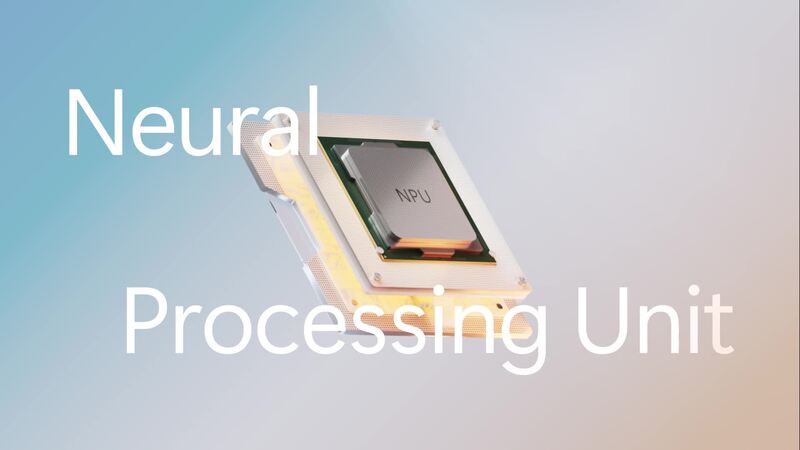
Microsoft promises that most of this AI processing happens locally on your device's NPU (Neural Processing Unit), not in the cloud. Your embarrassing photos and passive-aggressive emails stay on your machine. Unless you opt into cloud features. Read those permission screens carefully, folks.
Modular Architecture: Windows Finally Gets Smart
Remember when Windows updates required a full day of "We're getting things ready" followed by approximately 47 restarts? Windows 12's modular "CorePC" architecture aims to make that a memory.
The operating system is reportedly being broken into discrete components that can update independently. Think of it like a car where you can change the tires without replacing the engine, or upgrade the stereo without rewiring everything. In practice, this means:
- Faster Updates: Instead of downloading gigabytes of updates for the entire OS, you just get the components that changed.
- Better Security: Critical security components are isolated, so a breach in one area doesn't compromise everything.
- Customized Experiences: Different devices can run different configurations. A lightweight education laptop might skip some legacy features, while a gaming rig gets everything.
This isn't entirely new—Microsoft has been talking about modular Windows since the Windows 10 days. But Windows 12 might finally be where it becomes reality. The company's failed Windows 10X project taught them valuable lessons about what works and what doesn't in modular OS design.
| Component | What It Does | Update Frequency |
|---|---|---|
| Core Kernel | The absolute foundation of Windows | Rarely (security only) |
| UI Shell | Taskbar, Start menu, Explorer | Monthly features |
| AI Engine | NPU drivers and AI models | Weekly improvements |
| Legacy Support | Win32 app compatibility layer | As needed |
| Security Module | TPM integration, Defender | Real-time updates |
The Hardware Ultimatum: Do You Need a New PC?
Here's where things get expensive. Windows 11 already annoyed plenty of people with its TPM 2.0 requirements. Windows 12 is going to make those people really mad.
Warning: Wallet May Hurt
If you're running a PC from before 2023, there's a solid chance Windows 12 won't run on it. Start saving now.
NPU: The New Non-Negotiable
The big one is NPU—Neural Processing Unit. This specialized hardware handles AI calculations efficiently, without bogging down your CPU or GPU. All those fancy AI features we've been talking about? They require an NPU to run locally.
Current rumors suggest Windows 12 will require at least a 40 TOPS (Trillion Operations Per Second) NPU. For context, that's roughly what you get in the latest Snapdragon X Elite chips, AMD's Ryzen AI processors, and Intel's Core Ultra line. If your computer is more than a year or two old, it probably doesn't have one.
The Full Spec List (Rumored)
| Component | Minimum Requirement | Recommended | Status |
|---|---|---|---|
| Processor | Intel 12th Gen / AMD Ryzen 7000 | Intel Core Ultra / AMD Ryzen AI | Required |
| NPU | 40 TOPS | 60+ TOPS | Required |
| RAM | 8GB | 16GB | Required |
| Storage | 256GB SSD | 512GB NVMe SSD | Required |
| TPM | TPM 2.0 | TPM 2.0 | Required |
| Display | 720p | 1080p+ | Optional |
| Internet | For updates only | Always connected | Optional |
Notice something missing from the "optional" list? Everything AI-related is required. Microsoft is betting big that the future is AI, and they're not interested in supporting hardware that can't keep up.
Subscription or One-Time Purchase? The Money Question
This rumor won't die, no matter how many times Microsoft denies it. Eagle-eyed code watchers have spotted references to "subscription edition," "subscription type," and "subscription status" in Windows Insider builds. Naturally, the internet lost its collective mind.
Let's separate fact from panic:
- What we know: Microsoft is testing subscription-related code in Windows.
- What it probably means: Windows 365 (Cloud PC) integration and business licensing options.
- What it might mean: Optional subscription tiers with extra AI features.
- What it almost certainly doesn't mean: Mandatory monthly payments to use your computer.
The Adobe Comparison
When Adobe switched to subscriptions, everyone lost their minds. Then they realized the subscription included constant updates, cloud storage, and new features. Today, Creative Cloud is wildly profitable and most users have grudgingly accepted it. Microsoft has definitely noticed.
The most likely scenario: Windows 12 Home and Pro will remain one-time purchases (or free upgrades for Windows 11 users, if Microsoft is feeling generous). But there may be a subscription tier that unlocks advanced AI features, additional cloud storage, or enhanced security. Think of it like Xbox Game Pass for your operating system.
There's also wild speculation about an ad-supported free version of Windows. Imagine: Windows is free, but you get ads in the Start menu and your lock screen promotes Mountain Dew. Could it happen? Maybe. Would it be terrible? Absolutely. But Microsoft has to compete with Chrome OS in education somehow.
User Interface: What Will You Actually See?
Assuming you buy a new NPU-equipped computer and pay for whatever Microsoft decides to charge, what will Windows 12 actually look like?
The Floating Taskbar
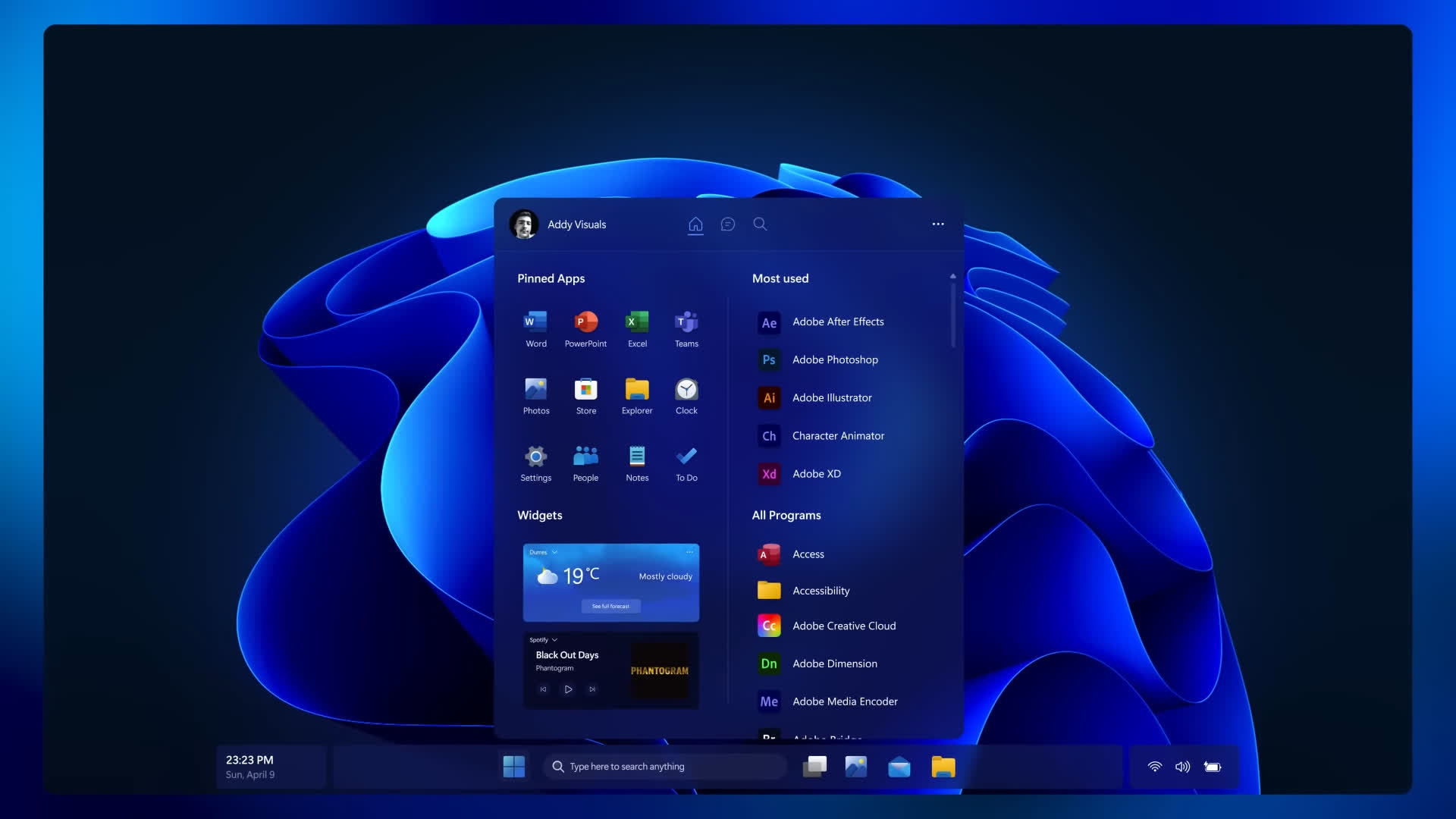
Leaked concepts show a taskbar that doesn't hug the bottom of the screen like it's afraid of falling off. Instead, it floats with rounded corners and a subtle shadow, like a minimalist spaceship docked at your screen's edge. It's clean, it's modern, and it makes Windows 11's taskbar look slightly dated.
Dynamic Widgets That Actually Do Something
Windows 11's widgets are... fine. They show weather and news, and occasionally you remember they exist. Windows 12's widgets are rumored to be AI-powered, context-aware, and actually useful. They'll change based on what you're doing, where you are, and what time it is. Morning widgets show your calendar and commute time. Afternoon widgets show meeting notes and to-do lists. Evening widgets suggest Netflix shows and order dinner. It's like having a butler who lives in your taskbar.
Notification Center Gets Smarter
AI will prioritize notifications based on importance. Your boss's email appears at the top; the sale from that store you visited once three years ago gets buried in a "low priority" section. Finally, an operating system that understands what matters.
Security Gets an AI Upgrade
Windows security has come a long way since the days when "don't click on strange email attachments" was the primary defense. Windows 12 takes it further with AI-powered threat detection that works in real-time, on your device.
Instead of relying on signature-based antivirus (which only catches known threats), Windows 12's security AI learns what "normal" looks like on your computer and flags anything unusual. A process trying to encrypt your files? The AI recognizes ransomware behavior and stops it cold. Someone accessing your camera at 3 AM? The AI notices the anomaly and blocks it.
There's also rumored "Windows baseline security mode" that creates a secure runtime environment for critical operations, limiting what unauthorized applications can do even if they somehow get installed. It's like a security guard for your computer's most sensitive areas.
ARM Support: Microsoft Finally Gets It Right
For years, Windows on ARM was the punchline to a joke. Slow, incompatible, and generally disappointing. Then Apple released the M-series chips and suddenly everyone realized ARM could actually be amazing. Microsoft noticed.
Windows 11's Germanium platform update brought significant improvements to ARM support, including the Prism emulator that lets non-ARM apps run surprisingly well. Windows 12 is expected to double down on ARM, with native support for the latest Snapdragon X Elite chips and maybe even some custom silicon of Microsoft's own.
The benefits? Better battery life, cooler operation, and integrated NPUs that handle AI tasks efficiently. The new ARM laptops (like the Surface Laptop with Snapdragon X) are genuinely competitive with Apple's offerings. Windows 12 could be the operating system that finally makes ARM the default, not the exception.
Snapdragon X Elite vs M3
Qualcomm claims the Snapdragon X Elite is 21% faster than Apple's M3. Even accounting for marketing exaggeration, that's impressive. Combined with Windows 12's ARM optimizations, we might finally have a real competitor to Apple Silicon.
What Microsoft Actually Says (And Doesn't Say)
Officially? Crickets. Microsoft's party line is that they're focused on Windows 11 and the 24H2/25H2 updates. They'll tell you there's nothing to announce about future versions, and they'll say it with a straight face while winking so hard their eyeballs hurt.
But the hints are everywhere. Executives talk about "the future of AI in Windows" with knowing smiles. Job postings mention "next-generation Windows experiences." Code references to "Next Valley" (Microsoft's internal codename for the next Windows version) appear and disappear from Insider builds.
The most telling sign? The rapid AI feature rollout in Windows 11. Microsoft is clearly testing AI integration on a massive scale, getting feedback, and preparing for something bigger. Windows 11's AI features are training wheels for Windows 12's full AI experience.
The Verdict: Should You Wait for Windows 12?
If you're in the market for a new computer, you're probably wondering: buy now or wait?
Here's the honest answer:
- If you need a computer now: Buy a Windows 11 PC with an NPU. Look for Intel Core Ultra, AMD Ryzen AI, or Snapdragon X Elite processors. These will be Windows 12-ready and should get the upgrade when it launches.
- If your current computer works fine: Wait. Windows 11 will be supported for years, and Windows 12's hardware requirements mean you'd need a new machine anyway. Let the early adopters find the bugs.
- If you're excited about AI: Join the Windows Insider program and watch the features roll out. You'll see Windows 12 features appear in Windows 11 updates first, giving you a preview without the full commitment.
Windows 11 24H2
Major AI features debut. The foundation is laid.
Windows 11 25H2
More AI refinements. Final beta for Windows 12 features.
Windows 12 Launch
The full AI experience arrives. Your NPU gets a workout.
Windows 12 represents Microsoft's vision for the next decade of computing. It's ambitious, potentially game-changing, and yes, a little scary. But if Microsoft gets it right, we're looking at the most significant Windows evolution since the jump from Windows 7 to Windows 10.
Will it be perfect at launch? Absolutely not. No major operating system is. But will it shape how we think about computers for years to come? Probably. And honestly, that's pretty exciting.
Just keep an eye on those NPU requirements. Your wallet will thank you.